CAL Prep / How We Learn수업 방식
How We Learn · Student Experience Guide수업 방식 · 학생 학습 가이드
What a school day at CAL Prep looks likeCAL Prep의 하루는 이렇게 흘러갑니다
This walkthrough comes from our Student Experience Guide, so parents can see exactly how classes work. Students log in to their CAL Prep classroom, pick up where they left off, and work through lessons, practice and assignments on their own schedule — with teachers, coaches and built-in tools ready to help.학부모님께서 수업이 실제로 어떻게 진행되는지 보실 수 있도록 학생 학습 가이드의 내용을 그대로 옮겼습니다. 학생은 CAL Prep 온라인 교실에 로그인해 지난번에 멈춘 곳에서 다시 시작합니다. 자신의 시간표에 맞춰 수업, 연습, 과제를 진행하고, 필요할 때마다 교사와 코치, 학습 도구가 도와줍니다.
Student Experience Guide학생 학습 가이드
Download the guide for your family가정에서 보실 수 있도록 가이드를 내려받으세요
Everything on this page is also available as a 14-page illustrated guide, in English and in Korean. Share it with your student, or keep it handy while they settle into online learning.이 페이지의 내용을 14쪽 분량의 그림 가이드로도 받아 보실 수 있습니다. 영어판과 한국어판이 모두 있으니, 자녀와 함께 보시거나 온라인 수업에 적응하는 동안 곁에 두고 참고하세요.
01
Pick up where you left off멈춘 곳에서 바로 시작
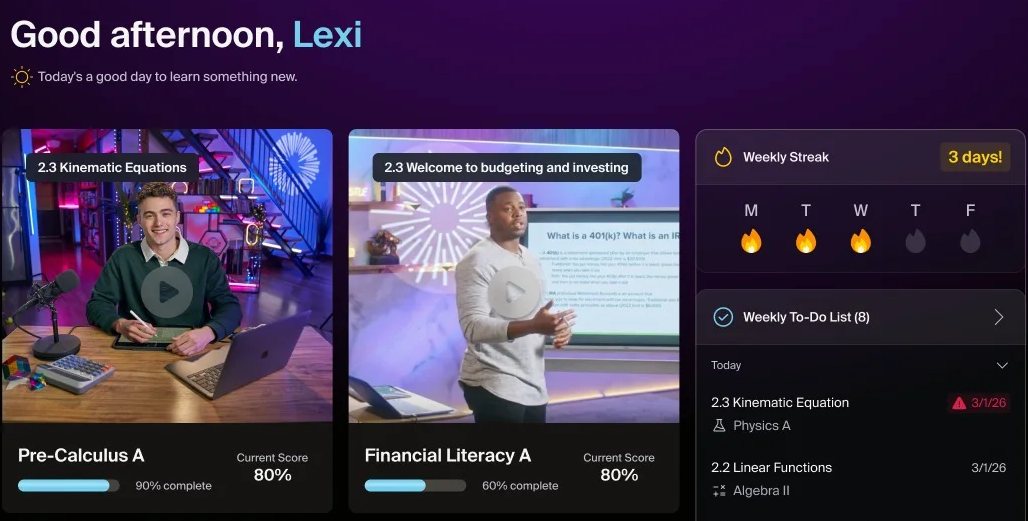
The dashboard shows what the student was working on and what is coming up. Each course card has a completion bar, the Weekly To-Do List shows assignments and due dates, and a weekly streak shows how consistently the student has logged in.대시보드에서 지금 하고 있던 공부와 다가오는 일정을 한눈에 봅니다. 과목 카드마다 진도 막대가 있고, 주간 할 일 목록에는 과제와 마감일이, 주간 연속 출석 표시에는 얼마나 꾸준히 접속했는지가 나타납니다.
02
Find your next assignment다음 과제 찾기
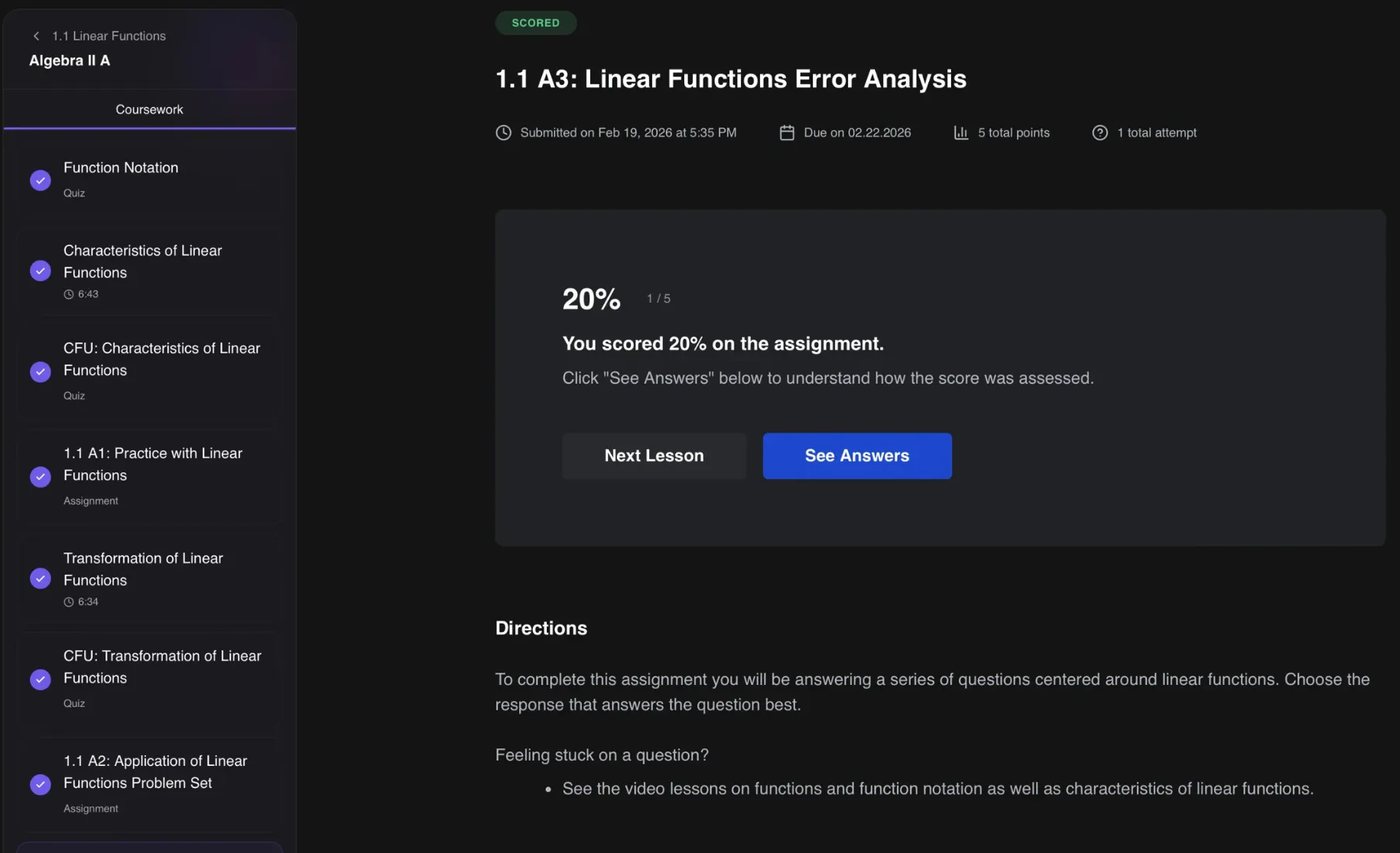
Inside each course, the coursework menu shows how lessons, quizzes and assignments fit together. Checkmarks mark finished work, graded assignments show the score and feedback, and every course has a start date, target dates and a finish date to plan the week around.과목 안의 coursework 메뉴에서 수업, 퀴즈, 과제가 어떻게 이어지는지 봅니다. 끝낸 과제에는 체크 표시가, 채점된 과제에는 점수와 피드백이 표시되고, 과목마다 시작일·목표일·종료일이 있어 한 주의 분량을 계획할 수 있습니다.
03
Video lessons and guided notes영상 수업과 가이드 노트
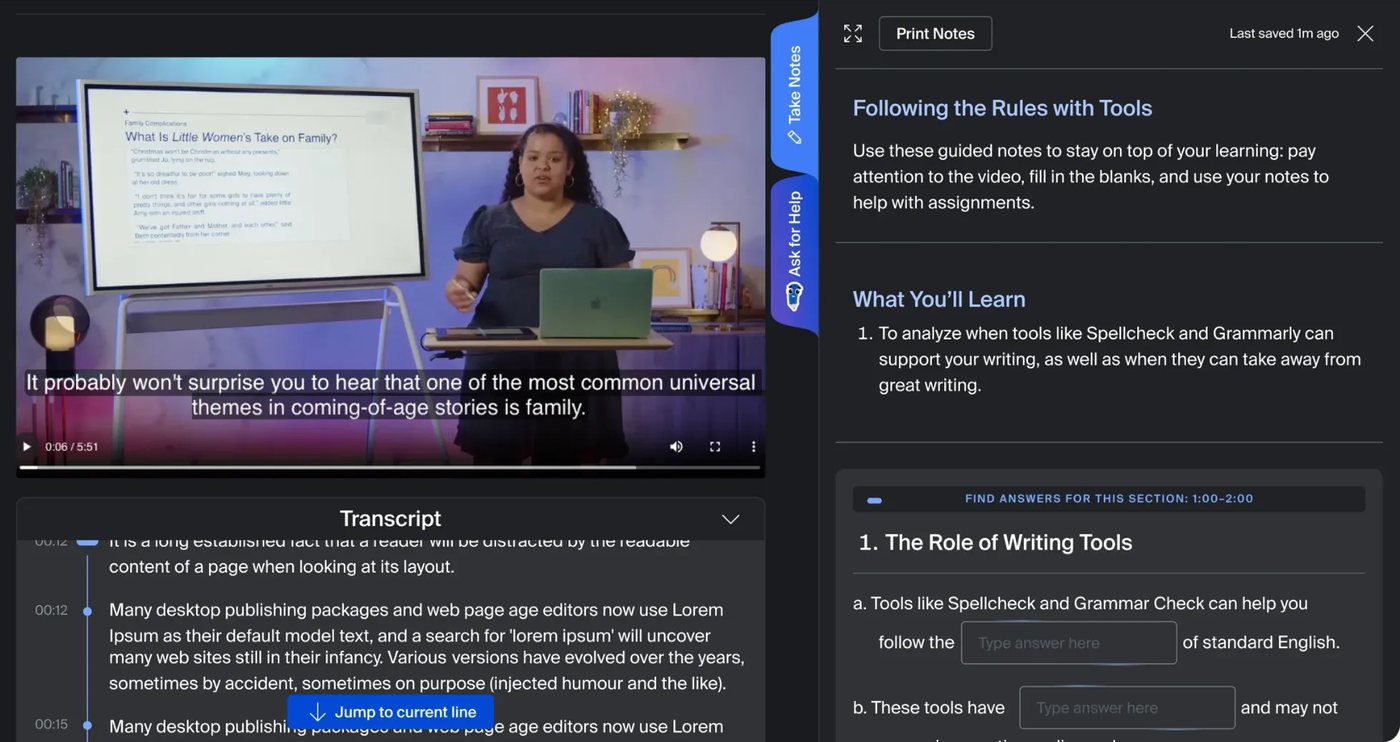
Recorded lessons let students pause to take notes, rewind to revisit a step, and turn on captions. Many lessons open guided notes beside the video: students fill in the blanks as they watch, use timestamps to find a part again, and print the notes for review.녹화된 수업은 멈춰서 필기하고, 되감아 다시 보고, 자막을 켤 수 있습니다. 많은 수업에는 영상 옆에 가이드 노트가 열려, 보면서 빈칸을 채우고, 타임스탬프로 필요한 부분을 다시 찾고, 인쇄해서 복습합니다.
04
Check your understanding이해했는지 바로 확인
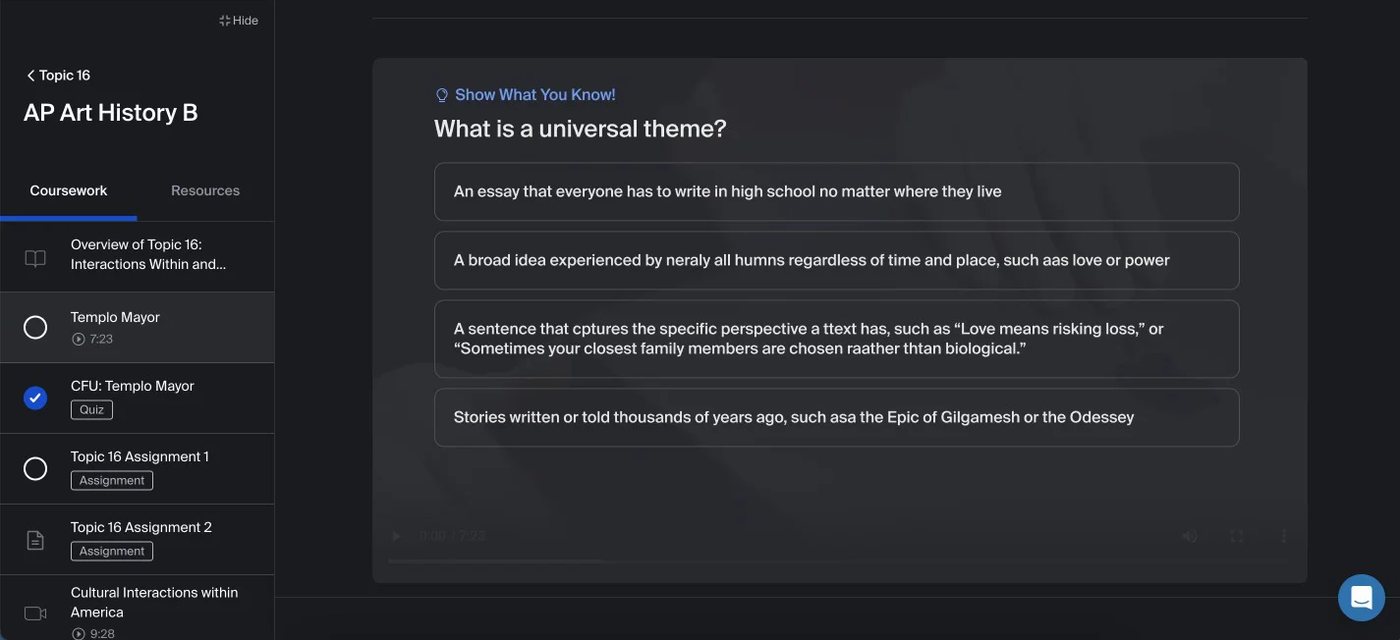
Lessons pause for short “Show What You Know” questions. Students answer from memory, then use the feedback to decide whether to move on or replay the explanation.수업 중간에 짧은 “Show What You Know” 문제가 나옵니다. 기억에 의지해 답하고, 피드백을 보고 다음으로 넘어갈지 설명을 다시 볼지 정합니다.
05
Reading support that grows with the student학생에게 맞춰 주는 읽기 지원
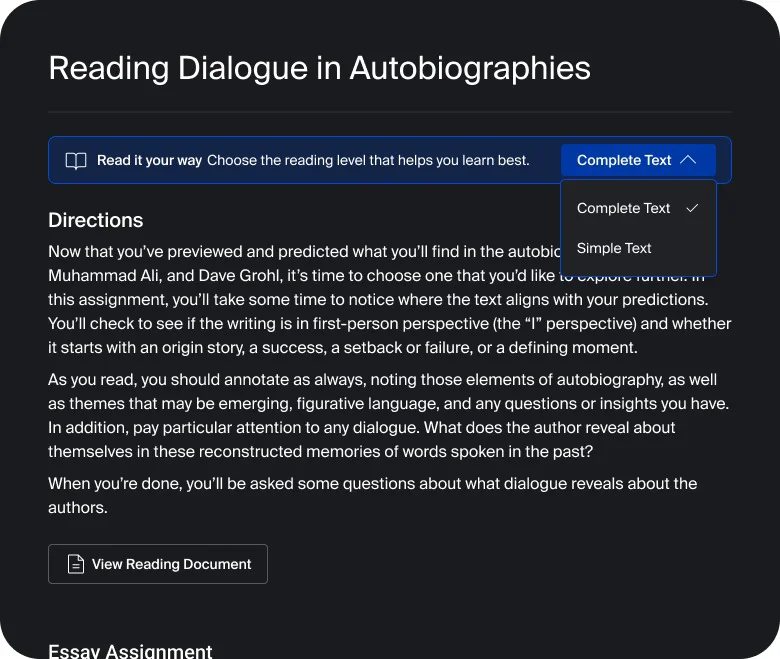
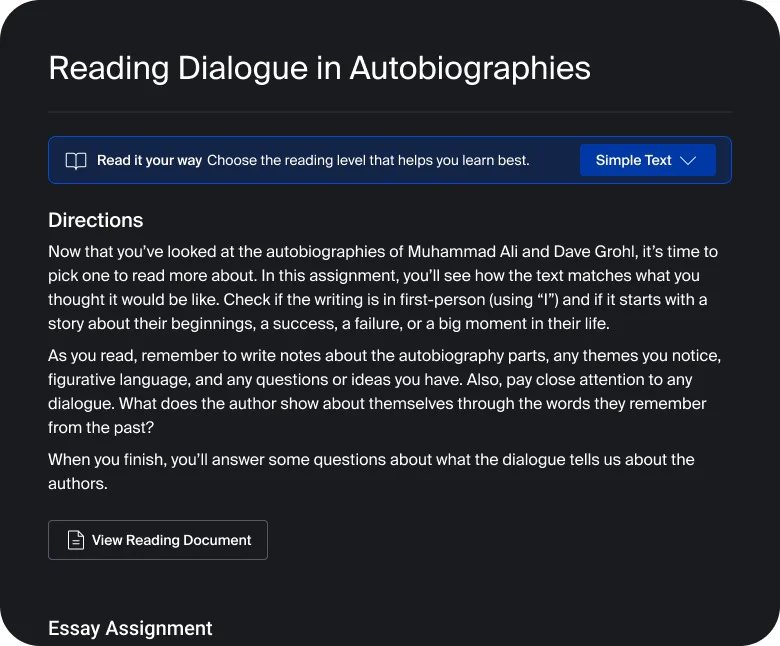
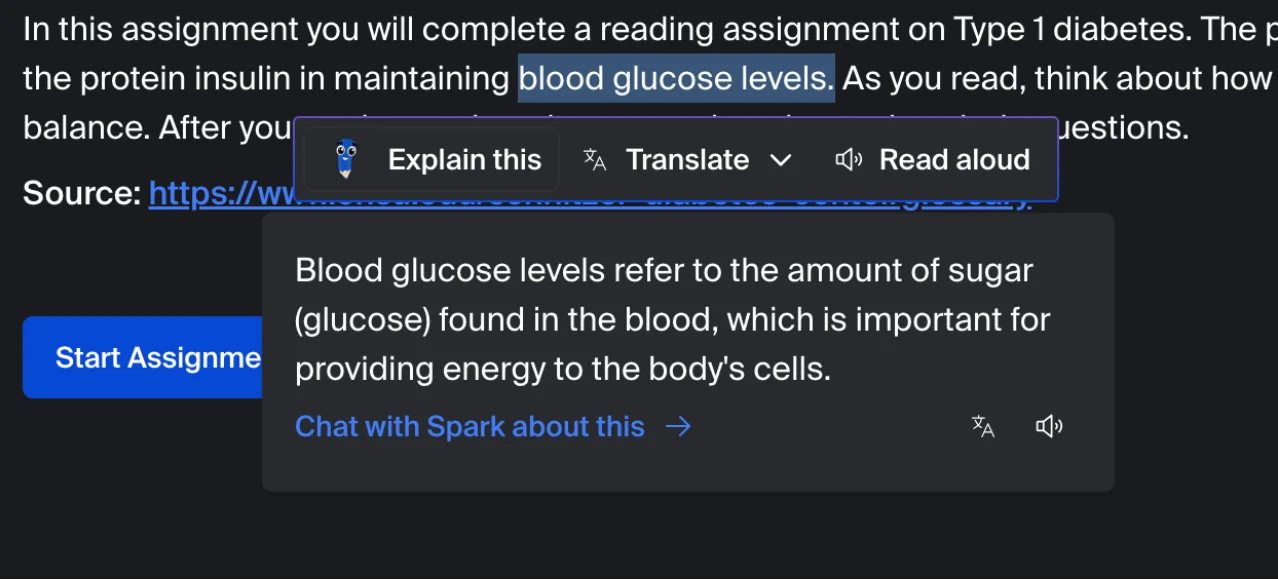
On supported readings, students can switch between Complete Text and Simple Text to work through a hard passage, then return to the full reading. Highlighting a word or sentence opens tools to explain it, translate it, or read it aloud.지원되는 읽기 과제에서는 Complete Text와 Simple Text를 오가며 어려운 부분을 먼저 이해한 뒤 원문으로 돌아갈 수 있습니다. 단어나 문장을 선택하면 쉬운 설명, 번역, 소리 내어 읽기 도구가 나타납니다.
06
A built-in AI tutor내장된 AI 튜터
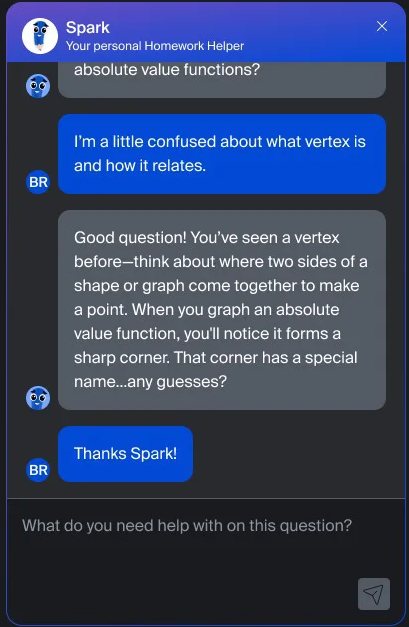
In courses where it is available, students can ask the built-in AI tutor for a hint or an explanation of the exact part that is confusing. It is designed to guide, not to hand over answers — students try the next step themselves, and bring anything still unclear to their teacher.지원되는 과목에서는 내장 AI 튜터에게 헷갈리는 부분을 콕 집어 힌트나 설명을 요청할 수 있습니다. 답을 대신 주는 것이 아니라 방향을 알려 주도록 만들어져, 다음 단계는 학생이 직접 풀어 보고 그래도 모르는 부분은 교사에게 묻습니다.
07
Live help: Learning Labs실시간 도움: Learning Lab
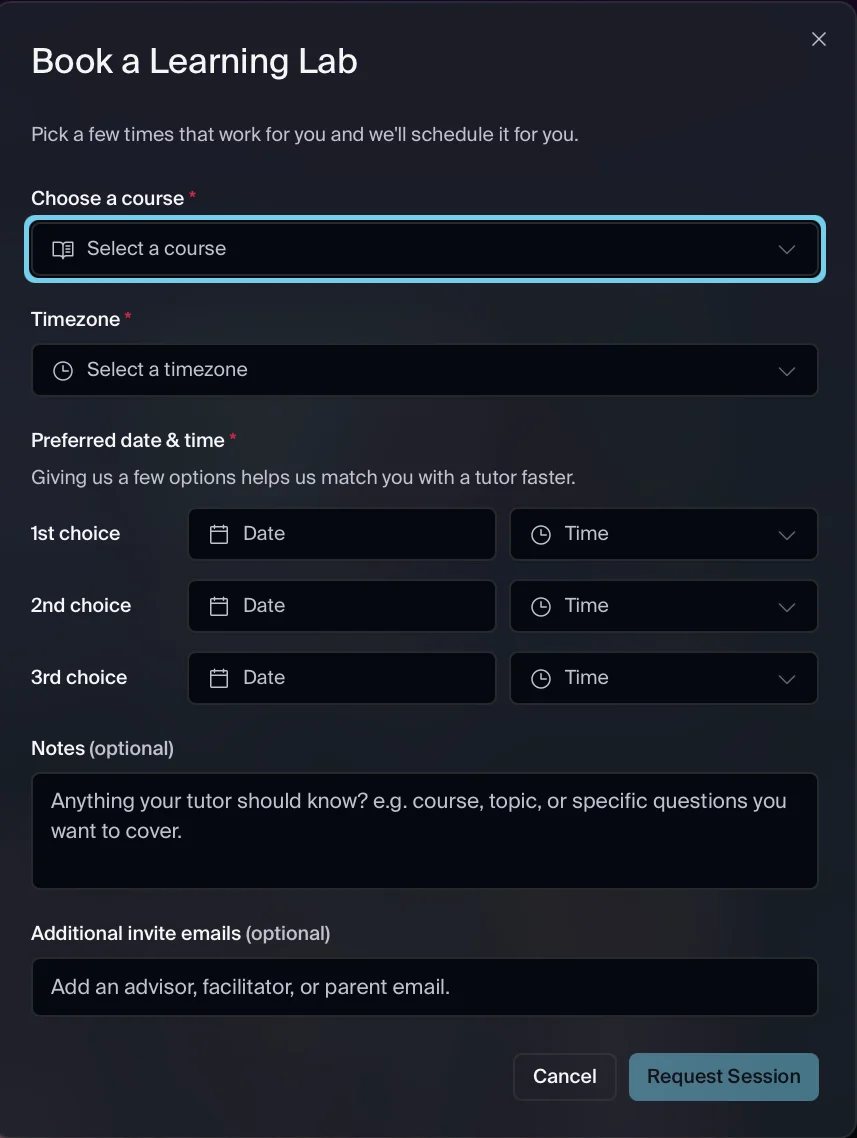
Where available, students can book a live Learning Lab session to work through a specific lesson or assignment with a tutor. They choose the course and time zone, offer a few times, describe what they need, and can copy a parent or coach on the request. In courses with teacher support, state-certified teachers grade assignments, give feedback and stay in touch about coursework.지원되는 과목에서는 Learning Lab을 예약해 특정 수업이나 과제를 튜터와 실시간으로 함께 풀 수 있습니다. 과목과 시간대를 고르고, 가능한 시간을 몇 개 적고, 필요한 내용을 남기며, 학부모나 코치의 이메일을 함께 넣을 수도 있습니다. 교사 지원 과목에서는 미국 주 정교사가 과제를 채점하고 피드백을 주며 수업에 대해 소통합니다.
08
Hands-on science, online온라인에서도 직접 하는 과학
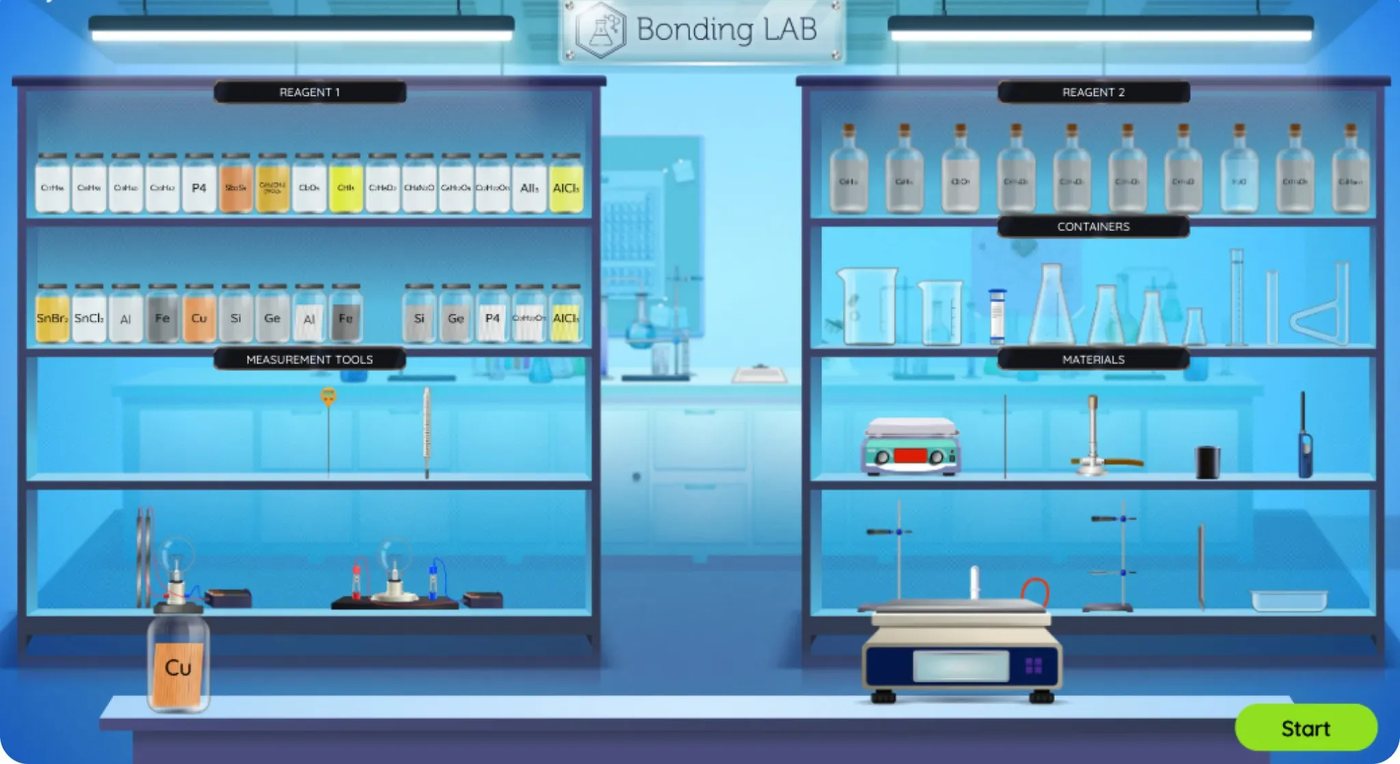
Science courses use virtual labs where students choose materials and tools, follow the procedure, record observations, and run it again to see how changing one step affects the result.과학 과목에서는 가상 실험실에서 재료와 도구를 고르고, 절차를 따라 관찰한 것을 기록하며, 한 단계를 바꿔 다시 실험해 결과가 어떻게 달라지는지 확인합니다.
09
Learning through story and play이야기와 게임으로 배우기
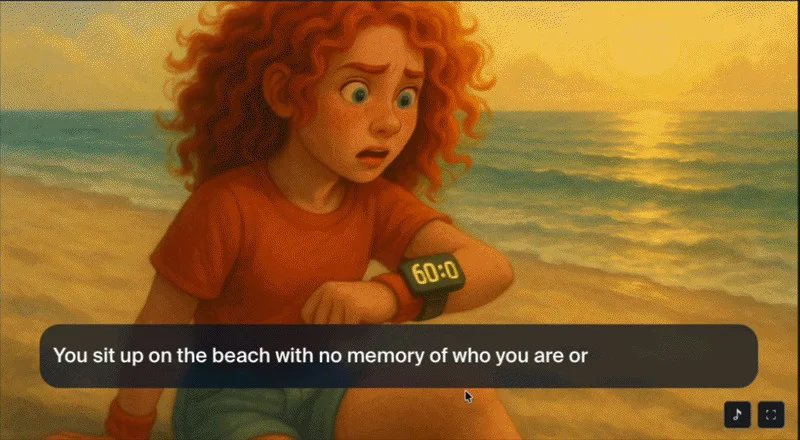
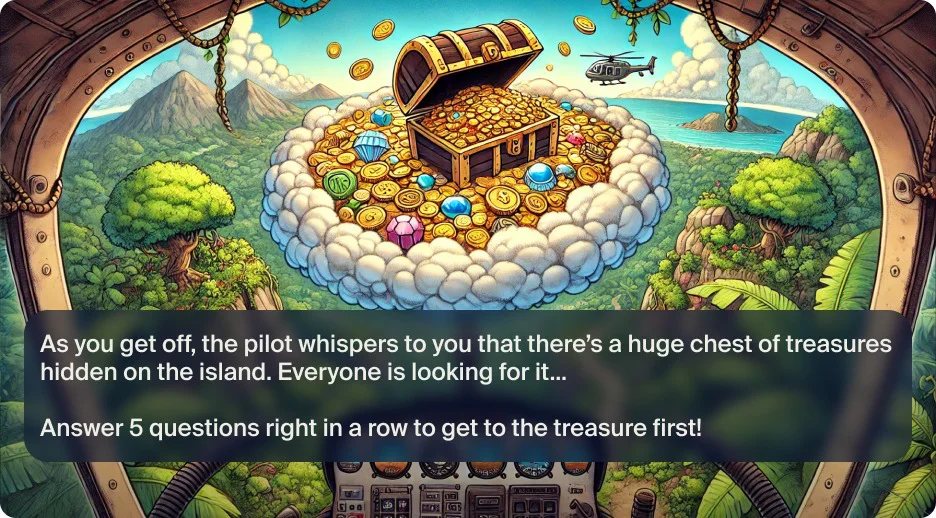
Some lessons move forward through the choices students make or the questions they answer — an interactive story or a game-based challenge that turns practice into something students want to finish.어떤 수업은 학생이 내리는 선택이나 맞힌 문제에 따라 이야기가 진행됩니다. 인터랙티브 스토리나 게임형 챌린지로, 연습 문제를 끝까지 풀고 싶게 만듭니다.
10
Feedback that shows what to do next다음에 무엇을 할지 알려 주는 피드백
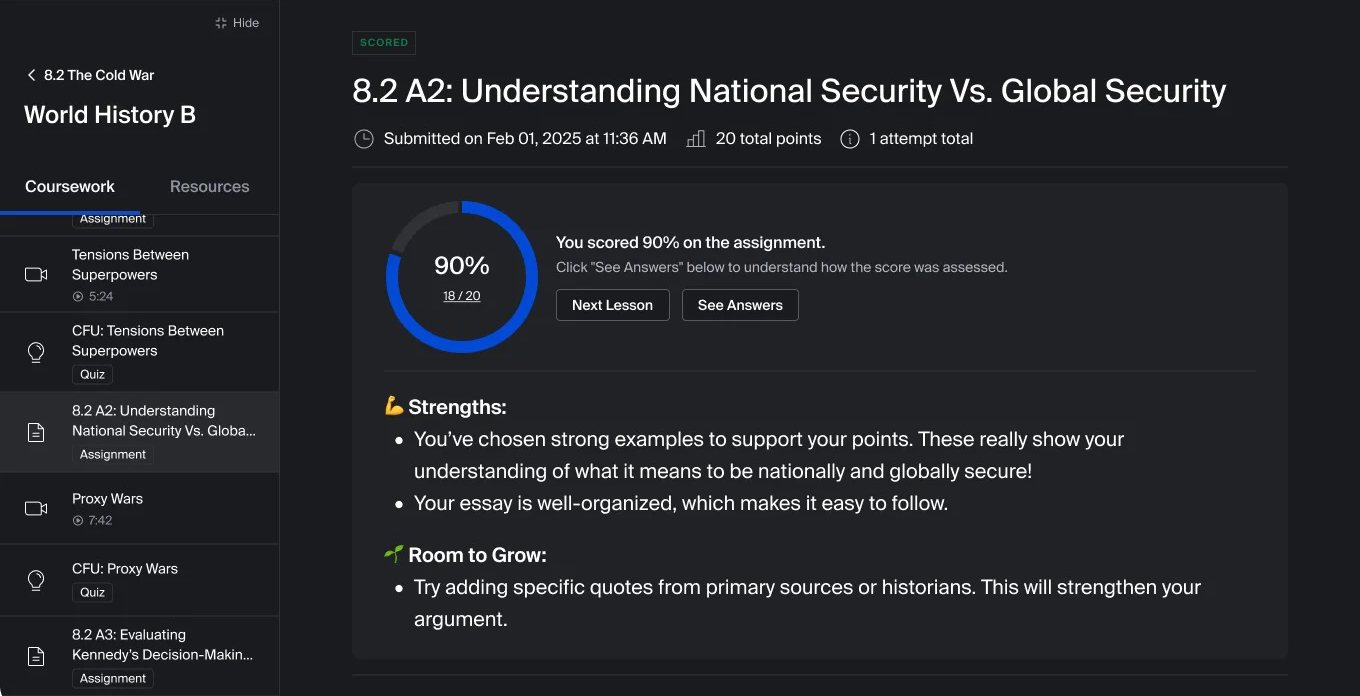
Scored assignments show what went well and what to work on. When See Answers is available, students review how their work was scored, then pick one specific thing to practice on the next assignment.채점된 과제에는 잘한 점과 보완할 점이 함께 표시됩니다. See Answers가 열려 있으면 채점 기준을 확인하고, 다음 과제에서 연습할 한 가지를 정합니다.
Getting Help도움 받는 법
No student works alone혼자 공부하는 학생은 없습니다
Help Center & live chat헬프센터와 실시간 채팅
Open the account menu and choose Help Center for written and video walkthroughs, or Get Help with Live Chat to message support.계정 메뉴에서 Help Center를 열면 글과 영상 안내가 있고, Get Help with Live Chat으로 지원팀에 바로 메시지를 보낼 수 있습니다.
Teachers & Learning Labs교사와 Learning Lab
Ask the teacher about feedback, or book a Learning Lab to work through a lesson live.피드백에 대해 교사에게 묻거나, Learning Lab을 예약해 수업 내용을 실시간으로 함께 풉니다.
Your CAL coach담당 CAL 코치
Check in with your coach to review progress, set goals and follow through on your learning plan. Your coach coordinates extra support and keeps your family informed.코치와 함께 진도를 확인하고 목표를 세워 학습 계획을 끝까지 실행합니다. 추가 지원이 필요하면 코치가 연결하고, 학부모님께도 상황을 전해 드립니다.